Pages

Posts tonen met het label Traffic. Alle posts tonen

woensdag 28 december 2011

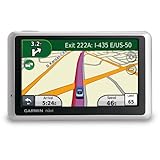
Garmin nüvi 3490LMT 4.3-Inch Portable GPS Navigator with Lifetime Maps and Traffic

CHECK BEST DEALS COMPARE PRICES & SPECIAL DISCOUNT ABOUT Garmin nüvi 3490LMT 4.3-Inch Portable GPS Navigator with Lifetime Maps and Traffic
an used car SAVE PRICES & REVIEW ONLINE...


HOT DISCOUNT!!!
Garmin nüvi 3490LMT 4.3-Inch Portable GPS Navigator with Lifetime Maps and Traffic
an used car for LOW PRICES & COMPARE FOR BEST BUY ORDER DEALS CHECK NOW!!!...


Garmin nüvi 3490LMT 4.3-Inch Portable GPS Navigator with Lifetime Maps and Traffic

Garmin nüvi 3490LMT 4.3-Inch Portable GPS Navigator with Lifetime Maps and Traffic

CHECK LOWEST PRICES Garmin nüvi 3490LMT 4.3-Inch Portable GPS Navigator with Lifetime Maps and Traffic
an used car for CHEAPEST HOT PRODUCT ON LINE DEALS ...


Garmin nüvi 3490LMT 4.3-Inch Portable GPS Navigator with Lifetime Maps and Traffic Overviews

Thanks to Garmin Guidance 3.0, FREE lifetime traffic¹ and map² updates, advanced lane guidance and much more, nüvi 3490LMT provides the most comprehensive navigation capabilities available. And at just 9 mm, it’s also our thinnest navigator yet.

Navigate by Touch or by Voice

With its innovative speech recognition, you can control nüvi 3490LMT with your voice — allowing you to keep both hands on the wheel. Simply wake up nüvi with a customizable voice command and begin speaking menu options that are clearly displayed on the screen. When you’re stopped, you can still control the nüvi using its 4.3-inch (10.92-cm) glass touchscreen.

Garmin Guidance 3.0 allows you to quickly look up addresses and services and be guided to your destination with voice-prompted, turn-by-turn directions that speak street names. It comes preloaded with maps that feature 3-D landmarks and terrain for North America. It also comes preloaded with more than 8 million points of interest (POIs) and offers the ability to add your own.

Avoid Traffic Tie-ups

With FREE lifetime traffic updates from Digital 3D Traffic, our most extensive traffic avoidance system, nüvi 3490LMT can help you avoid delays. Digital 3D Traffic provides updates every 30 seconds over the HD Radio broadcasting system, so you can easily reroute around congestion and arrive on time.

Enjoy FREE Lifetime Map Updates

With FREE lifetime map updates, you always have the most up-to-date maps, POIs and navigation information available at your fingertips. Map updates are available for download up to 4 times a year with no subscription or update fees and no expiration dates.

Know the Lane Before It’s Too Late

Now there’s no more guessing which lane you need to be in to make an upcoming turn. Available in select metropolitan areas, photoReal junction view makes unfamiliar intersections and exits easy to navigate. When you approach an exit or interchange, nüvi 3490LMT will enter split screen mode and show you a realistic depiction of junctions on your route, complete with road signs and arrows that indicate the proper lane for navigation. Bird's Eye junction view also is included for a top-down look at upcoming interchanges.

Go Beyond Navigation

Point-to-point navigation is just the beginning. nüvi 3490LMT features a microSD™ card slot so you can store and use detailed cityXplorer™ maps or download custom voices and vehicles for free from the Garmin Garage It also comes with a powered mount that charges while you drive while dual-orientation functionality lets you hold nüvi vertically or horizontally for added convenience driving or walking. And for added convenience and safety, built-in Bluetooth® connectivity lets you make and take hands-free calls and texts.

nüvi 3490LMT’s "Where Am I?" emergency locator provides your exact latitude and longitude coordinates, the nearest address and intersection, and the closest hospitals, police stations and more. And Enhanced Exit Services tells you what services you’re approaching on the highway.

What's in the Box:

  • nüvi 3490LMT
  • Preloaded City Navigator® NT North America (U.S., Canada and Mexico)
  • Lifetime maps¹ and traffic² (indicated by "LMT" after model number on the box)
  • Digital 3D traffic receiver with vehicle power cable
  • Quick release powered mount³
  • USB cable
  • Quick start manual

¹FREE lifetime traffic updates may not be transferred to another person or another Garmin product. Lifetime traffic extends for the useful life of your Garmin traffic receiver (as long as you own a compatible Garmin GPS) or as long as Garmin receives traffic data from its traffic supplier, whichever is shorter. Traffic content not available for all areas. See traffic coverage areas and Program License Agreement for complete terms and conditions.

²FREE lifetime map updates entitle you to receive up to 4 map data updates per year, when and as such updates are made available on the Garmin website, for this specific Garmin product only until this product’s useful life expires or Garmin no longer receives map data from its third party supplier, whichever is shorter. The updates you receive will be updates to the same geographic map data originally included with your Garmin product when originally purchased. Garmin may terminate your lifetime map updates at any time if you violate any of the terms of the End User License Agreement accompanying your nüvi product.

.../ Garmin nüvi 3490LMT 4.3-Inch Portable GPS Navigator with Lifetime Maps and Traffic / an used car


Garmin nüvi 3490LMT 4.3-Inch Portable GPS Navigator with Lifetime Maps and Traffic Features
  • Less than 9mm thick
  • Make hands-free calls and texts
  • Voice activated navigation
  • Lifetime Map and TrafficUpdates
  • Lane assist with photoReal junction view
.../ Garmin nüvi 3490LMT 4.3-Inch Portable GPS Navigator with Lifetime Maps and Traffic / an used car


+++++++++++++++++++++++++++++++++++

Garmin nüvi 3490LMT 4.3-Inch Portable GPS Navigator with Lifetime Maps and Traffic
an used car for : LOWEST PRICES & VERY FAST & FREE SHIPPING !!!


Model Of Item : 010-00009-00
Product Brand :
Garmin

Product Rating :
Popular Rating :
Reviews Rating :
Customer Rating :

Available : In Stock
Garmin nüvi 3490LMT 4.3-Inch Portable GPS Navigator with Lifetime Maps and Traffic


See All Of Product Brand : Garmin

Garmin nüvi 3490LMT 4.3-Inch Portable GPS Navigator with Lifetime Maps and Traffic
an used car
Customers Who Bought This Item Also Bought......


Garmin nüvi 3490LMT 4.3-Inch Portable GPS Navigator with Lifetime Maps and Traffic
an used car

Special for Best Deals Shopping for


Customer Review :

Almost didn't get this great unit... but so glad I did : Garmin nüvi 3490LMT 4.3-Inch Portable GPS Navigator with Lifetime Maps and Traffic


There are shills among us. I've read their reviews. They know not of what they speak. You know who you are.

My prior Garmin device was okay. I commute from northwest of the Pittsburgh Airport to the Point Breeze area of Pittsburgh daily. Depending on the route I take, it is between 30 and 35 miles and takes an average of an hour and fifteen minutes in each direction. If there is an accident, bad weather, or unexpected construction zones, that can expand to two hours or more.

My commuter vehicle of choice is a standard Mini Cooper (I love you, little guy!). No turbo. One hundred and twenty horsepower soaking wet. Would slow down going off a cliff. Really fun to drive and nimble when being attacked from a blind spot. I'm information obsessed when commuting. I listen to the local talk radio station for traffic hints and make my decisions accordingly. I also have the ecoRoute device that transmits particular engine data points from the OBD port to this Garmin device. If you don't have it, get it. It's fascinating.

This device has so many features to explore when you first install it. It's highly configurable, which many people may be intimidated by, but I'm a software engineer and insist on finding every last checkbox the device has to offer. You can display buttons, or not. Change the layering of the maps from highly granular 3D in the city to my preferred map display mode I call Sgt. Joe Friday -- "Just the facts, ma'am".

It computes routing much faster than my old Garmin. Thankfully, I do not hear "Recalculating" anymore when I take a side road or shortcut. Because I live outside the radio range of traffic signal reception, I make my decision as to what route to take to work (short but slow or long but fast) based on the radio station I listen to. It recomputes in a few seconds and off I go.

The trip computer is greatly enhanced. It shows most of what you'd expect it to show as well as having an "A" and "B" side which allows you to get trip information for each leg of a trip while maintaining the integrity of the information for the entire trip. Really welcomed for trips requiring overnight stops.

Data recordation can be done on a micro SD card. I slapped a 4G card in the tiny little slot and I'd be hard pressed to have to purge data as long as I own the Mini.

The ecoRoute has a gauge view that is configurable which displays RPM, data from the Oxygen sensors, cooling liquid temp, battery voltage, et al. The Mini has no native water temp gauge and that was a source of paranoia on hot summer days sitting in traffic. It's never been a problem, but I had a need to know. Interestingly, if you have an Android device, there is a Garmin app that offers additional information not available on my unit. I hope Garmin will pull additional data points in the future. They are limited in what they can display at any given time because of display size. ecoRoute offers a lot of feedback about how you drive. Starting. Braking. Throttle handling. If you are looking to maximize fuel economy, these features will help.

The device is updated via a web browser plugin. It worked flawlessly on both my Mac and PC. It's very simplified. Push a couple of buttons and the new maps are just there. Not scary at all. And the maps are just maps. Accurate. Informational. The device recomputes arrival time as you go and is spot on. By spot on, I mean that you will arrive within a few minute window. Anyone expecting exactitude doesn't understand how they drive or how someone turning left against traffic might add a minute to their trip. It does the best it can with the information at hand.

And so on, and so on. I'd need pages to list all the features. Just explore. It will take a while to learn the device and adjust it to your style and information needs. The point is, you can adjust it to your style and information needs. So flexible.

Let me talk about the device's form factor. It is as thin as my iPhone. Light. Connects and disconnects quickly from the vehicle. I park in protected space during the day and with my old device, I just left it in the car in plain view or tossed the whole rig under a seat if I parked elsewhere. With this device, I unlatch it from it's display holder and slip it in my pocket or backpack. No effort at all, really.

Finally, you CAN adjust the volume on the device so it will drive you out of the car, if that's what you'd like. It's a button push away.


anusedcar-autopartsonsale.blogspot.com is a participant in the Amazon Services LLC Associates Program, an affiliate advertising program designed to provide a means for sites to earn advertising fees by advertising and linking to Amazon.com CERTAIN CONTENT THAT APPEARS ON THIS SITE COMES FROM AMAZON SERVICES LLC. THIS CONTENT IS PROVIDED ‘AS IS’ AND IS SUBJECT TO CHANGE OR REMOVAL AT ANY TIME.
Best For Buy-a one auto parts-4Automotive Great Desk And Storage of top

vrijdag 23 december 2011

TomTom VIA 1505TM 5-Inch Portable GPS Navigator with Lifetime Traffic & Maps

CHECK COMPARE PRICES for BEST BUY and GET SPECIAL DISCOUNT!!! ABOUT TomTom VIA 1505TM 5-Inch Portable GPS Navigator with Lifetime Traffic & Maps
an used car ONLINE SHOPPING...


CHECK NOW for LOWEST PRICES TODAY!!!
TomTom VIA 1505TM 5-Inch Portable GPS Navigator with Lifetime Traffic & Maps
an used car for BUY & BEST DISCOUNT FOR DEALS !!!...


TomTom VIA 1505TM 5-Inch Portable GPS Navigator with Lifetime Traffic & Maps

TomTom VIA 1505TM 5-Inch Portable GPS Navigator with Lifetime Traffic & Maps

BEST BUY.. TomTom VIA 1505TM 5-Inch Portable GPS Navigator with Lifetime Traffic & Maps
an used car for BEST DEALS PRICES & REVIEW : !!!...


Accessory for..
TomTom VIA 1505TM 5-Inch Portable GPS Navigator with Lifetime Traffic & Maps
an used car
cheapest online discount...


TomTom VIA 1505TM 5-Inch Portable GPS Navigator with Lifetime Traffic & Maps OverviewsTomTom VIA 1505TM 5-Inch Portable GPS Navigator with Lifetime Traffic & Maps.../ TomTom VIA 1505TM 5-Inch Portable GPS Navigator with Lifetime Traffic & Maps / an used car


TomTom VIA 1505TM 5-Inch Portable GPS Navigator with Lifetime Traffic & Maps Specifications
TomTom VIA 1505TM

The VIA Story

Hit the road street-smart and style-savvy. The new, super-slim TomTom VIA series holds the latest navigation technology, in a fresh, sleek design including an integrated Fold & Go EasyPort Mount. Travel confidently with superior routing and the most accurate, dependable maps in the GPS industry. In fact, TomTom gives you one million more miles of mapped roads in the US**. The VIA range offers a large array of unique features--like Lifetime Traffic and Map Updates, Bluetooth hands-free calling and natural voice recognition with one-shot destination address entry--all at affordable prices.


TomTom VIA 1505TM Lane Assist
TomTom VIA 1505TM Interface

The TomTom VIA 1505TM

Introducing the TomTom VIA 1505TM, equipped with superior driving intelligence.

Travel with ease and style throughout the US, Canada & Mexico. This innovative navigator boasts a super-slim design, classic finish, new, intuitive user interface and a 5-inch touchscreen.

Using TomTom maps, you have access to one million more miles of mapped road in the US than you would using any other GPS brand**. With TomTom VIA's Free Lifetime Map Updates***, you can download the latest map edition every few months. And, With TomTom Map Share On-Demand Updates, you can easily make instant changes in between map releases, and download verified updates from other TomTom users to your map.

Outsmart delays using IQ Routes*. The exclusive technology directs you to your destination using the smartest, fastest route possible. TomTom knows to avoid certain roads during rush hour, streets inundated with traffic light changes and pedestrian traffic, and more, so that you always take the fastest way to get anywhere, at any time. TomTom VIA also gives you the most accurate real-time traffic information available with Free Lifetime Traffic Updates*** with no advertisements. As soon as an accident or other delay is found on your route, TomTom alerts you and can re-route you to an alternative, faster route.

TomTom VIA 1505TM Features


Free Lifetime Traffic & Map Updates

Outsmart traffic and road changes. Free Lifetime Traffic Updates allow you to outsmart traffic and take the fastest route possible to your destination. And, Free Lifetime Map Updates ensure that you are always navigating with the industry's most up-to-date map.

Premium maps of the US, Canada & Mexico

Navigate with ease throughout the US, Canada & Mexico using TomTom's premium maps. Using TomTom maps, you'll have access to one million more miles of mapped road in the US that you would using other GPS brand.

Integrated EasyPort Mount

With TomTom VIA's unique flip-screen technology, you can easily secure your device to your vehicle's windshield or dashboard with the integrated EasyPort Mount.

Refreshed User Interface, New Design & Contemporary Finish

Travel in style. TomTom VIA boasts a super-slim design, classic finish and a bright, 5-inch touchscreen. And, the new user interface allows for easy route planning and menu browsing.


Advanced Lane Guidance

Advanced Lane Guidance show's you exactly which road to take, when driving through complex intersections and multi-lane junctions.

7 Million Points of Interest

Easily find millions of gas stations, restaurants,hotels and more on your route. Your device comes preloaded with more than 7 million points of interest in over 60 categories.

IQ Routes

Always take the smartest, fastest route. This exclusive technology will recommend the fastest route based on the time of day and day of the week.

Spoken Turn-By-Turn Directions, Including Street Names

Keep your eyes on the road and listen while your TomTom announces turn-by-turn directions, including street and place names.

Travel With Peace of Mind With Help Me! Emergency Menu

Travel with peace of mind. Easily access local emergency providers such as police, fire stations, and hospitals.

Footnotes
* Feature available in the US and Canada only
** Based on info available as of 1/11
You receive non-transferable traffic data and up to four non-transferable map data updates per year until the product�s useful life expires or TomTom no longer receives map or traffic updates from its suppliers, whichever is shorter. Lifetime Maps available for US, CAN and MEX only. Lifetime Traffic available in US and CAN only. Details and terms at www.tomtom.com/legal.

All TomToms Feature:


Easy to Use

Plug & Go Right Out of the Box

All TomToms are easy to use, and work right out of the box. TomTom's intuitive, award-winning user interface features large icons and sharp, full-color 3D graphics.

Reduce Driver Stress

30-Day Latest Map Guarantee

When you start using your TomTom, if a newer map release is available you can download one complimentary update to your map within 30 days from the time you first start using your TomTom device. Latest Map Guarantee is available via TomTom HOME.

Preloaded Maps and Points of Interest

Easily find millions of gas stations, restaurants, hotels, and more on your route with millions of points of interest in over 60 categories.

Save Time & Money

TomTom Home Content Manager

Personalize your device in the TomTom HOME Content Manger, where you can subscribe to advanced TomTom services, download new points of interest, voices, and even share your own content with the rest of the TomTom community.

Enhance Safety

Help Me! Emergency Menu

Travel with peace of mind. Easily access local emergency providers such as police, fire stations, and hospitals.

Announces Street and Place Names

Keep your eyes on the road while your TomTom GPS announces turn-by-turn directions, including street and place names.

What's In the Box

VIA 1505TM, USB Cable, Traffic CLA, Adhesive Disk, User Guide, LTM Voucher

.../ TomTom VIA 1505TM 5-Inch Portable GPS Navigator with Lifetime Traffic & Maps / an used car


TomTom VIA 1505TM 5-Inch Portable GPS Navigator with Lifetime Traffic & Maps Features
  • Get over 1 million more miles of mapped roads in the US
  • Outsmart delays with Free Lifetime Traffic Updates, without advertising
  • Stay up-to-date on road changes with Free Lifetime Map Updates
  • Navigate with ease using premium maps of the US, Canada & Mexico
  • Travel in style with the new, slim design and integrated Fold and Go EasyPort Mount
.../ TomTom VIA 1505TM 5-Inch Portable GPS Navigator with Lifetime Traffic & Maps / an used car


+++++++++++++++++++++++++++++++++++

TomTom VIA 1505TM 5-Inch Portable GPS Navigator with Lifetime Traffic & Maps
an used car for : LOWEST PRICES & VERY FAST & FREE SHIPPING !!!


Model Of Item : 1EN5.019.03
Product Brand :
TomTom

Product Rating :
Popular Rating :
Reviews Rating :
Customer Rating :

Available : In Stock
TomTom VIA 1505TM 5-Inch Portable GPS Navigator with Lifetime Traffic & Maps


See All Of Product Brand : TomTom

TomTom VIA 1505TM 5-Inch Portable GPS Navigator with Lifetime Traffic & Maps
an used car
Guests who viewed this item also viewed......


TomTom VIA 1505TM 5-Inch Portable GPS Navigator with Lifetime Traffic & Maps
an used car

Special for Buy cheapest sale


Customer Review :

TomTom Via 1535TM vs. Garmin Nuvi 1490LMT : TomTom VIA 1505TM 5-Inch Portable GPS Navigator with Lifetime Traffic & Maps


I just got my Tomtom VIA 1505TM yesterday, and having just got off the phone with the (easy to reach & very friendly & helpful) customer service here is what I wish I'd known before I bough this: it's still in Beta and isn't supported by a lot of Tomtom's infrastructure yet. For example, as of today (April 5th 2011) you aren't going to find it on most of the drop down menus on Tomtom's website or as an option on the phone menu when you call customer service. More seriously, it can't connect to Tomtom Home which is the software that allows you to do the fun things Tomtom offer like downloading voices or other doodads to your device. I was really looking forward to customizing my GPS with various voices and I'm sad I can't do that. I am assured that over the course of this year Tomtom will send updates to the VIA GPSes that will eventually allow them to join the party but for now there is very little support for this product. I think it's kind of weird to release a beta that has less functionality than the models it supersedes without clearly warning potential purchasers so I'm writing this review today. I also can't buy a carry case sized just to fit my VIA - which is a different shape to previous models because it attaches to my car using a different system. I'm told its a better system but since this is my first GPS I wouldn't know.

Hopefully by the end of the year (as I said, I'm writing this on April 5th 2011) this review will be obsolete but right now, if you purchase this GPS today, you will not be getting a fully supported device. I'm not happy at having been lured into Beta testing Tomtom's new product line, this is my first GPS and I paid $200 for it, I wanted a great experience right out of the box. As it is I'm just feeling a bit sad about the whole thing, and even the charming customer service hasn't made that go away.

The thing is, this is a really nice piece of engineering. It is super easy to set up and use. It works in a fundamentally different way to previous Tomtoms, and you can use it while it is plugged into your computer. A friend of mine has an earlier Tomtom and I know she gets frustrated at not being able to access her Tomtom while it is attached to her computer so that is a definite plus. I'm not complaining about the device itself, it is very cool. I'm told that this model is the future of Tomtom, and that in time it will do everything the other models do and more, but the fact is that it doesn't do that now, today, April 5th 2011.

So. Early adopters and devoted beta testers rejoice! This is definitely the Tomtom for you. Buy one and enjoy yourselves. But those of you who, like me, just want to get where you are going with a bit of fun along the way, and the least amount of hassle, might want to pick something else.

Update, June 17th 2011: After using this device for a few months, I still feel that anyone looking for a drama-free GPS should go and buy something else. The TomTom VIA series is still a rich source of drama - it isn't compatible with TomTom Home, and the MyTomTom software it *is* compatible with is just AWFUL and hugely frustrating. I've owned this thing for months and tonight was the first time I have ever successfully managed to update it, and that has taken me two hours and much nailbiting (At one point it managed to wipe itself clean of all maps & I had to completely reinstall everything. Fun.) On the other hand, it does seem to have finally installed the extra voice I bought for it the day I got it, (before I knew that it didn't at that time support adding extra voices) so it will be interesting to see how that will work out. And the TomTom website does now acknowledge the existence of the VIA models, though it still doesn't offer much for them. Progress is being made by TomTom to bring the VIA series out into the general community of TomTom products but this is very much still a beta device and I do still wish I'd bought a different GPS system.

On the other hand it is a nifty little thing, and I do enjoy using it. It has a completely intuitive interface, and it gives excellent directions both spoken and on the screen. It recalculates directions incredibly fast. It sticks on my windscreen very well. The traffic feature is excellent, and has helped me stay out of many traffic jams, though sometimes the traffic feature just won't load, which is a shame. As many other people have pointed out it *does* take quite a few minutes for the device to locate the satellites (I had thought this was just because I live out in the sticks, in the middle of a forest with no cell phone reception even, but if other people are having a problem it must be something to do with the unit.) All in all, I've enjoyed using it, but I think I would have enjoyed it more if I'd bought something that was a fully functioning product and not just a poorly supported beta.


anusedcar-autopartsonsale.blogspot.com is a participant in the Amazon Services LLC Associates Program, an affiliate advertising program designed to provide a means for sites to earn advertising fees by advertising and linking to Amazon.com CERTAIN CONTENT THAT APPEARS ON THIS SITE COMES FROM AMAZON SERVICES LLC. THIS CONTENT IS PROVIDED ‘AS IS’ AND IS SUBJECT TO CHANGE OR REMOVAL AT ANY TIME.
Best For Buy60 cadillac-Automotive-Shop

donderdag 8 december 2011

Garmin nüvi 1350LMT 4.3-Inch Portable GPS Navigator with Lifetime Map & Traffic Updates


Garmin nüvi 1350LMT 4.3-Inch Portable GPS Navigator with Lifetime Map & Traffic Updates

Average Customer Review:
Product Brand : Garmin | Model : 010-00782-2E
Available : In Stock From
Garmin nüvi 1350LMT 4.3-Inch Portable GPS Navigator with Lifetime Map & Traffic Updates


Accessory for..
Garmin nüvi 1350LMT 4.3-Inch Portable GPS Navigator with Lifetime Map & Traffic Updates
an used car
cheapest deals price black friday's deals and discount


nüvi 1350LMT features FREE lifetime map and traffic updates..../ Garmin nüvi 1350LMT 4.3-Inch Portable GPS Navigator with Lifetime Map & Traffic Updates / an used car


.../ Garmin nüvi 1350LMT 4.3-Inch Portable GPS Navigator with Lifetime Map & Traffic Updates / an used car


Garmin nüvi 1350LMT 4.3-Inch Portable GPS Navigator with Lifetime Map & Traffic Updates
an used car
Customers Who Bought This Item Also Bought......


The widescreen nüvi 1350LMT adds free Lifetime Maps and Traffic to the nüvi 1350. In addition, this thin GPS announces streets by name, guides you to the proper lane for navigation, offers pedestrian navigation options and calculates a more fuel-efficient route with ecoRoute.

Add free lifetime maps and traffic to the feature-packed nüvi 1350.

Traffic information is updated constantly, and map updates are available up to 4 times a year, with no subscription, fees, or expiration dates.

Travel tools include JPEG picture viewer, world travel clock with time zones, currency converter, measurement converter, calculator and more.

Simply tap the screen for your exact coordinates, the nearest address/intersection, and the closest fuel and emergency services.

Affordable, Widescreen GPS Navigator With Lifetime Maps and Traffic


Includes Free Lifetime Map and Traffic Updates
With free Lifetime Map and Traffic updates, you always have the most up-to-date maps, points of interest and navigation information available at your fingertips. Traffic information is updated constantly, and map updates are available for download up to 4 times a year. Both features are ready to go, right out of the box, with no subscription or update fees and no expiration dates.

Navigate City Transit
With its enhanced pedestrian navigation capabilities, nüvi 1350LMT is the perfect travel companion for getting around town. Download optional cityXplorer content to help you navigate city public transit. Know where to walk, where to catch the bus, subway, tram or other transportation and how long it will take to get there. cityXplorer maps are available for select cities throughout North America and Europe. And with prices as low as .99, you'll have money left over to spend in the big city.

Take It With You
Twenty-five percent slimmer than other nüvis, you can take the 1350LMT anywhere. It easily fits in your pocket or purse, and its rechargeable lithium-ion battery makes it convenient for navigation by car or foot.

Know the Lane Before It's Too Late
No more guessing which lane you need to be in to make an upcoming turn. Lane assist guides you to the correct lane for an approaching turn or exit, making unfamiliar intersections and exits easy to navigate.

See More
With nüvi 1350LMT's widescreen display, you'll always get the big picture. View map detail, driving directions, photos and more in bright, brilliant color. Its sunlight-readable, 4.3-inch display is easy to read--from any direction.

Get Turn-by-Turn Directions
nüvi 1350LMT's intuitive interface greets you with two simple questions: "Where To?" and "View Map." Touch the color screen to easily look up addresses and services and get voice-prompted, turn-by-turn directions that speak street names to your destination. It comes preloaded with detailed City Navigator NT street maps, nearly 6 million points of interest (POIs), 2-D or 3-D maps and the speed limit for most major roads in the U.S. and Europe. Its digital elevation maps show you shaded contours at higher zoom levels, giving you a big picture of the surrounding terrain. With the 1350LMT's enhanced user interface, you can slide your finger to conveniently scroll between screens. You can also upload custom points of interest (POIs). And with HotFix satellite prediction, nüvi calculates your position faster to get you there quicker.

Go Beyond Navigation
Navigation is just the beginning. nüvi 1350LMT saves you gas and money with ecoRoute--a green feature that calculates the most fuel-efficient route, tracks fuel usage and more. The 1350LMT includes many travel tools including JPEG picture viewer, world travel clock with time zones, currency converter, measurement converter, calculator and more. With photo navigation, you can download pictures from Garmin Connect Photos and navigate to them. With its "Where Am I?" emergency locator, you always know your location. Simply tap the screen to get your exact latitude and longitude coordinates, the nearest address and intersection, and the closest hospitals, police stations and fuel stations. The 1350LMT features Garmin Lock, an anti-theft feature, and is compatible with our free Garmin Garage where you can download custom custom voices and vehicles. Enhance your travel experience with optional plug-in microSD cards.

What's in the Box

nüvi 1350; Preloaded City Navigator NT North America (U.S and Canada); Lifetime Maps and Traffic; FM Traffic Receiver With Vehicle Power Cable; Vehicle Suction Cup Mount; USB Cable; Dashboard Disc; Quick Start Manual

.../ Garmin nüvi 1350LMT 4.3-Inch Portable GPS Navigator with Lifetime Map & Traffic Updates / an used car


Garmin nüvi 1350LMT 4.3-Inch Portable GPS Navigator with Lifetime Map & Traffic Updates
an used car for ALL BUY BEST BLACK FRIDAY 2011 BEST SELLER!!!


Garmin nüvi 1350LMT 4.3-Inch Portable GPS Navigator with Lifetime Map & Traffic Updates
an used car

Special for cheapest price black friday's deals and discount


Customer Review :

Mostly Impressive - But Some Quibbles : Garmin nüvi 1350LMT 4.3-Inch Portable GPS Navigator with Lifetime Map & Traffic Updates


After using my friend's Nuvi in Scotland last year I said I have to have one of these! It worked great and saved us many lost hours while effortlessly assisting us through hundreds of poorly signed round-abouts. He had a basic but very trustworthy Nuvi without many features other than direction finding, which is the main idea. I wanted a trustworthy Nuvi but with a few of the more consuming features. After reading reviews I eliminated the 700 & 800 series because of all the reported freezes. I eliminated any with bluetooth functions for the same reason. After a lot of reviewing I went with the 1350T. I wanted lane help and I wanted cityXplorer mapping because we go overseas a lot and I wanted to have enhanced pedestrian capabilities. I live in a rural town so free traffic alerts wasn't too leading but I do spend time in Phoenix, San Diego and La occasionally so it was a plus.

I ordered the unit just prior to a trip from Phoenix to Sacramento. I'm a hand-operated reader so I printed a copy of the instructions from the Garmin web site and read them fully before messing with the unit (the quick start instructions included with the unit are worthless). Before doing whatever else I bought a Usb cable so that I could join together to my computer. everybody should have the cable and it's ridiculous that Garmin doesn't contribute the cable with the unit because you need it to register and get current software. Once I had the cable I related to Garmin's web site and registered the unit and updated the maps and firmware. It's a dinky tricky but not too difficult...and I'm not very technical. I also purchased and downloaded radar detection software because Phoenix, Tucson and much of Arizona is loaded with scum-sucking radar detectors. I also did the screen calibration on page 47 of the hand-operated because some reviews indicated that it made the touch screen interface much more reliable. I wanted to take some out-of-the-way highways on my trip so I programmed in some "via points" to use along the way. These are points that allow you to divert to an additional one location or highway while keeping the same greatest destination programmed. The night before the trip I was playing with the unit checking out the "browse map" function. It seemed to be a worthless function and it wasn't responsive with the screen being too small to be useful anyway. Just as I was about to get out of the browse mode the screen went dark. The unit was fully charged but I could not turn it back on again. I tried with the car plug adaptor, the Usb cable, the on/off button...everything. The next morning before my trip it still wouldn't start. I sent the unit back and requested a replacement. After getting the change I went through the same processes again as outlined above except that I won't use the "browse map" function again. I took the unit on a trip from No. Arizona to Orange County then San Diego and back again. For the most part the unit worked very well. It did frost once and the screen went dark again when I was programming in a location. I waited about 10 minutes and to my great relief it did restart but I was about to toss it out the window if it didn't restart. One time in a very complex freeway interchange in San Diego it lost position and started "recalculating". If I had not known where I was going I could have indubitably taken the wrong offramp.

While traveling through Riverside, Ca the Garmin indicated that there was some traffic ahead. I touched the screen to see the traffic map and the screen indicated the length and time of the potential delay. It was a short delay so I continued on and it turned out to be very accurate. I was impressed but an additional one time in San Diego it indicated a short delay and there was no delay at all. So, just be aware that it's only as good as the facts it receives from the reporting station.

For fun I also wanted to load some thumbnail pictures for my home and family destination "favorites". I could find no directions on how to do this, even in the full hand-operated printout so I called Garmin. It's easy to do. Just join together your Nuvi to your computer, duplicate click the Garmin icon and open the Garmin folder. There is a jpeg folder in the Garmin folder. Drag your jpeg photo and drop into the jpeg folder. Then eject and disconnect your Garmin. To add the photo to a "favorite" adopt "favorite"; "press for more"; press "edit"; "change photo"; adopt a photo and you're done.

I noticed that when going to a location and returning the directions to and from are not all the time the same. It sometimes sends you slightly out of the way either advent or going. I think that's because it seems to have a penchant for giving you right turns instead of left turns when beginning out from a location. For instance, when departing from a shopping center it might have you make a right turn leaving the center, rather than manufacture a left turn, even if it's slightly out of the way. It's not a big deal but I find that curious.

I know a lot of population don't want to read the long hand-operated but in my belief it will save you a lot of early aggravation and will help you use all of the nice features this unit has. I have also found that if you take your time and don't start pushing functions before the unit has made a calculation or transitioned to an additional one screen the unit is more reliable.

Pros:
1. Volume works great. I'm hard of hearing and 70% is plenty loud.
2. Satellite response time is quick and recalculating time is generally very responsive
3. Lane help is a great feature especially on major thoroughfares and freeways.
4. Speaks road names clearly and is surprisingly close on spoton pronunciation. (Spanish road names can be fun though). Male & Female voice available.
5. Shows posted speed limit and actual driving speed which is a great feature.
6. Turn list viewing is a nice feature especially in unfamiliar areas with a lot of turns ahead.
7. I like the time or length to destination feature. The time estimates to a destination have been quite accurate. It's a nice feature especially on long legs.

Cons:
1. No Usb cable included
2. No hand-operated (you must print from web site and it's over 60 pages).
3. May lose power and not restart for some time (or not at all as with my 1st unit). This is the suspect I gave it 4 stars instead of 5.
4. Even though I made the screen calibration, when typing in addresses some of letters don't response as indubitably as they should.
5. Browse Map feature glitchy and worthless.

Garmin nüvi 1350LMT 4.3-Inch Portable GPS Navigator with Lifetime Map & Traffic Updates / an used car
Check for Best Rates Deals Lowest Prices & Special Discount!!!
Best on choosing the BEST Buy / Sale / New or Used & Recommended


VIEW GREAT PRODUCT & BEST PRICES..CAN CHECK UPDATE LOWEST PRICES & DISCOUNT!!! ABOUT Garmin nüvi 1350LMT 4.3-Inch Portable GPS Navigator with Lifetime Map & Traffic Updates
::an used car::LOWEST PRICES UPDATE!!!...


!!!!!~~CHECK HERE NOW~~!!!!!


Automotive-1971 oldsmobile Best Deals