Pages

zondag 4 december 2011

Garmin nüvi 3790LMT 4.3-Inch Bluetooth Portable GPS Navigator with Lifetime Map & Traffic Updates


Garmin nüvi 3790LMT 4.3-Inch Bluetooth Portable GPS Navigator with Lifetime Map & Traffic Updates

Average Customer Review:
Product Brand : Garmin | Model : 010-00858-21
Available : In Stock From
Garmin nüvi 3790LMT 4.3-Inch Bluetooth Portable GPS Navigator with Lifetime Map & Traffic Updates


Accessory for..
Garmin nüvi 3790LMT 4.3-Inch Bluetooth Portable GPS Navigator with Lifetime Map & Traffic Updates
an used car
deals and discount black friday 2011...


Garmin nuvi 3790LMT Automobile Portable Navigator 010-00858-21 Automobile Navigators.../ Garmin nüvi 3790LMT 4.3-Inch Bluetooth Portable GPS Navigator with Lifetime Map & Traffic Updates / an used car


.../ Garmin nüvi 3790LMT 4.3-Inch Bluetooth Portable GPS Navigator with Lifetime Map & Traffic Updates / an used car


Garmin nüvi 3790LMT 4.3-Inch Bluetooth Portable GPS Navigator with Lifetime Map & Traffic Updates
an used car
More Choices! More Variety! Selected Just for You......


Experience uniquely personal navigation from the elegantly slim nüvi 3790LMT. It features a multi-touch glass display, nüRoute technology with trafficTrends and myTrends, voice-activated navigation, 3-D building and terrain view, lane assist with junction view, hands-free calling compatibility and subscription-free traffic alerts.

Less than 9mm thick

Includes Free Lifetime Map Updates
With free Lifetime Map1 and Traffic2 updates, you always have the most up-to-date maps, points of interest and navigation information available at your fingertips. Traffic information is updated constantly, and map updates are available for download up to 4 times a year. Both features are ready to go, right out of the box, with no subscription or update fees and no expiration dates.

Award-Winning Design         

Versatile and compact for car or pedestrian use

                                     
The new nüvi is less than 9 mm thick, about the same as a standard #2 pencil. It has a full glass 4.3" diagonal multi-touch display. Dual orientation capabilities allow you to use the nüvi 3790LMT either horizontally or vertically, fitting smartly in your hand when walking. Sleek design also disappears neatly into your pocket or purse. With a rechargeable lithium-ion battery, it's ready to guide you by car or foot.

Experience nüRoute Technology with trafficTrends and myTrends
Smart and good-looking, this uniquely personal navigator comes with advanced routing capabilities that include trafficTrends and myTrends. There's no subscription necessary, no added costs, your nüvi 3790LMT just does it.

With trafficTrends, your nüvi 3790LMT automatically learns daytime trends for traffic flow to improve your routes and better predict your estimated time of arrival based on time of day and day of week. And you get free trafficTrends updates every time you connect your device to myGarmin.

With myTrends, when you save your regular destinations in your "Favorites," your nüvi 3790LMT will, over time, begin to figure out where you're going even without your telling it! It provides time of arrival and relevant traffic information. So whether you're driving to and from work or a regularly scheduled weekly event, your nüvi 3790LMT will help you get there on time.

Speak Commands
nüvi 3790LMT not only tells you where to turn but listens to your spoken commands. With its innovative speech recognition, you can control nüvi with your voice--allowing you to keep both hands on the wheel. Simply wake up nüvi with a customizable voice command and begin speaking menu options that are clearly displayed on the screen. Tell nüvi "Find Address" and speak an address to start navigating.

Know the Lane Before It's Too Late
No more guessing which lane you need to be in to make an upcoming turn. Lane assist with junction view guides you to the correct lane for an approaching turn or exit, making unfamiliar intersections and exits easy to navigate. It realistically displays road signs and junctions on your route along with arrows that indicate the proper lane for navigation.

Make Hands-free Calls
For hands-free calling, nüvi 3790LMT integrates Bluetooth wireless technology with a built-in microphone and speaker. Just pair it with your compatible Bluetooth phone and talk hands-free through the 3790LMT while staying focused on the road. Simply dial numbers with its touchscreen keypad to make a call. To answer calls, just tap the screen and speak into its built-in microphone. Enjoy convenient one-touch dialing for contacts and points of interest.


Dual orientation capabilities allow you to use the nüvi 3790LMT either horizontally or vertically, fitting smarly in your hand when walking.
Navigate City Transit
With its enhanced pedestrian navigation capabilities and dual-oriented screen, nüvi 3790LMT is the perfect travel companion for getting around town. Download optional cityXplorer content to help you navigate the big city. In addition to knowing where to walk, where to catch the bus, subway, tram or other transportation you'll also have access to mass transit schedules and estimated travel time to your destination. cityXplorer maps are available for select cities throughout North America and Europe. And with prices as low as .99, you'll have money left over to spend in the big city.

Get Turn-by-Turn Directions. See Buildings and Terrain in 3-D
nüvi 3790LMT has an intuitive interface that greets you with two simple questions: "Where To?" and "View Map." Touch the color screen to easily look up addresses and services and get voice-prompted, turn-by-turn directions that speak street names to your destination It comes preloaded with detailed City Navigator NT street maps for the U.S, Canada and Mexico with nearly 6 million points of interest (POIs) such as stores, restaurants, hotels, entertainment venues, gas stations, ATMs and more, and speed limits for most major roads. With 3-D Building and Terrain view, you'll see representations of prominent buildings in many cities and map contours at low zoom levels, giving you a realistic perspective of the terrain.

Go Beyond Navigation
Also offered on nüvi 3790LMT are standard nüvi features that go beyond navigation. For example, ecoRoute--a green feature that calculates a more fuel-efficient route, tracks fuel usage and more. The 3790LMT includes many travel tools including JPEG picture viewer, world travel clock with time zones, currency converter, measurement converter, calculator and more. With photo navigation, you can download pictures from Garmin Connect Photos and navigate to them. With its "Where Am I?" emergency locator, you always know your location. Simply tap the screen to get your exact latitude and longitude coordinates, the nearest address and intersection, and the closest hospitals, police stations and fuel stations. The 3790LMT features Garmin Lock, an anti-theft feature, and is compatible with our free Garmin Garage where you can download custom voices and vehicles. Enhance your travel experience with optional plug-in microSD cards.

Compare the nüvi 3700 Series Features

nüvi 3700 Series Features
nüvi 3750
nüvi 3760T
nüvi 3760LMT
nüvi 3790T
nüvi 3790LMT
Detailed Map Coverage*
Y
Y
Lifetime maps
Y
Lifetime maps
Voice activated navigation
N
N
N
Y
Y
Traffic
Compatible
Lifetime traffic
Lifetime traffic
Lifetime traffic
Lifetime traffic
Hands-free calling
N
Y
Y
Y
Y
3D terrain and buildings
N
N
N
Y
Y

* Full coverage mapping for the U.S. and Canada. Now includes Mexico.


What's in the Box

nüvi 3790LMT; Preloaded Street Maps for the U.S., Canada, and Mexico; Lifetime Maps and Traffic; Vehicle Suction Cup Mount With Speaker; FM Traffic Receiver/Vehicle Power Cable; USB Cable Dashboard Disc; Quick Start Manual.

Compare all Garmin nüvis
Click the button below to compare by series, user type, and features.


Visit Garmin.com at https://www8.garmin.com/support/download.jsp to get the latest firmware updates for your nüvi to keep it current and performing at its best.

1Free Lifetime Map Updates entitle you to receive up to 4 map data updates per year, when and as such updates are made available on the Garmin website, for this specific Garmin product only until this product's useful life expires or Garmin no longer receives map data from its third party supplier, whichever is shorter. The updates you receive will be updates to the same geographic map data originally included with your Garmin product when originally purchased. Garmin may terminate your Lifetime Map Updates at any time if you violate any of the terms of the End User License Agreement accompanying your nüvi product.

2Free Lifetime Traffic Updates may not be transferred to another person or another Garmin product. Lifetime traffic extends for the useful life of your Garmin traffic receiver (as long as you own a compatible Garmin GPS) or as long as Garmin receives traffic data from its traffic supplier, whichever is shorter. Traffic content not available for all areas. See www.navteq.com/rdstraffic for traffic coverage areas and www.garmin.com/traffic/fm/navteq.html for program License Agreement containing complete terms and conditions.

.../ Garmin nüvi 3790LMT 4.3-Inch Bluetooth Portable GPS Navigator with Lifetime Map & Traffic Updates / an used car


Garmin nüvi 3790LMT 4.3-Inch Bluetooth Portable GPS Navigator with Lifetime Map & Traffic Updates
an used car for BLACK FRIDAY DEALS 2011 LOWEST PRICES & BEST PROMOTION !!!


Garmin nüvi 3790LMT 4.3-Inch Bluetooth Portable GPS Navigator with Lifetime Map & Traffic Updates
an used car

Special for BLACK FRIDAY best price products


Customer Review :

Nice Gps Annoying Pop up ads Buyer Beware : Garmin nüvi 3790LMT 4.3-Inch Bluetooth Portable GPS Navigator with Lifetime Map & Traffic Updates


My first Gps was the Garmin c340. It served me very well for years and when my wife asked me what I wanted for my birthday this year I took the opening to upgrade to Garmin's top of the line Nuvi 3790Lmt. All I can say is a jaw dropping Wow!

After using the 3790Lmt for three weeks now it has performed authentically flawlessly. I'm in a suburb of Atlanta, Ga so I deal with a lot of tangled roads running all over the place and traffic jams galore.

I'll start with the striking display. At a resolution of 800 x 480 it is twice as sharp as other Gps's and the distinction isn't subtle. What a pleasure to see such high definition and detail. 3D mode with the sky in the horizon and hills and valley's in full 3D topography is an absolute delight. And the night time display still maintains a gorgeous 3D look. Navigating around taller buildings you see the buildings in 3D relief.

My 3790Lmt locks on to satellites in less than 10 seconds of pulling out of my garage and within 10 seconds or less in any place else. Often the satellite link is so quick that it feels practically instantaneous.

Voice Command is very well done. I was apprehensive after reading some negative Amazon reviews. After reading the documentation and insight that the unit is only listening when the Voice Icon is green and not red, all worked very well. I use the voice command all the time now. Voice Command works beautifully and gets a full 5 stars from me.

The first thing I did when I unboxed my 3790Lmt was link up to Garmin's myGarmin site and then go to myDashboard where I registered, downloaded the newest maps, and updated the operating software. I've had no complaints with map accuracy and no complaints with the performance of the unit. I've had no failures and all works just as it should.

Lane sustain and Junction View in the Atlanta area are fabulous. As I coming an exit, I'm told what lane to be in and then I get a close-up of the exit ramp to take. It just works beautifully.

I authentically like how maps automatically zoom in when I slow down and coming a turn and then automatically zoom back out again after the turn is completed. It's like it reads my mind. That's a very impressive highlight and very helpful.

Bluetooth linking with my cell phone works very well. When I get in the car my phone immediately links with my 3790 and I have hands-free calling. When I first linked up my entire dialing directory uploaded to my 3790 and I now had voice command potential to "Call SomeName". Nicely done. And with the Bluetooth link, whenever I bring up a Point Of Interest, I also have an option to call them hands-free.

I've found my Poi's to be amazingly up to date. My wife and I even found two new restaurants in our area we didn't even know about and enjoyed supper in two new places this past weekend thanks to my new 3790Lmt.

The only area that was a disappointment to me is no longer a disappointment. If you've been reading the reviews so far you've seen all the rants and low ratings given for advertisement popups when using Traffic Alerts. All I needed to do is purchase the Lifetime premium Traffic assistance for a small one-time cost of $49 and I'm now free of popup ads forever. I couldn't be happier. Traffic warnings and detours have so far been spoton and handled very well.

You do not get a by hand in the box, only a Quick Start Guide. So the first thing I did was go to the Garmin site and download the full Pdf by hand and read through it with my 3790 in hand. If you want to authentically know how to use your 3790 this is very recommended. Trust me, there are many things you will never know about and never take advantage of if you don't edify yourself with your 3790. If I'm going to spend this much for a Gps, I'm going to get the most out of it.

Try this... Touch and hold the green signal force bars on the upper left corner. You have to hold for about 10 seconds or more. You will get a map of all the satellites your unit is accessing along with a bar graph of the signal force of each one. You also can see the 3790's absolute resolution. Mine often resolves down to 10 feet.

You won't want to leave the 3790 in your car when you are away from home, so a good slim pocketable case is a necessity. After some study at my local Best Buy I purchased the LowePro Volta 30. It is a thin semi-hardshell zipper case that is authentically designed for the 3790. It fits to perfection. Here's the Amazon link to it...
Lowepro Volta 30 3.5-Inch and 4.3-Inch Gps Carrying Case (Black)

In conclusion, my 3790Lmt has exceeded my expectations in every respect. If I could give it more than 5 stars I would do so.


Garmin nüvi 3790LMT 4.3-Inch Bluetooth Portable GPS Navigator with Lifetime Map & Traffic Updates / an used car
Check for Best Rates Deals Lowest Prices & Special Discount!!!
Best on choosing the BEST Buy / Sale / New or Used & Recommended


VIEW GREAT PRODUCT & BEST PRICES..CAN CHECK UPDATE LOWEST PRICES & DISCOUNT!!! ABOUT Garmin nüvi 3790LMT 4.3-Inch Bluetooth Portable GPS Navigator with Lifetime Map & Traffic Updates
::an used car::ONLINE SHOPPING...


!!!!!~~CHECK HERE NOW~~!!!!!


Best 4 Buy1991 oldsmobile 98-Automotive

zaterdag 3 december 2011

Apple iPod classic 160 GB Silver (7th Generation) NEWEST MODEL


Apple iPod classic 160 GB Silver (7th Generation) NEWEST MODEL

Average Customer Review:
Product Brand : Apple | Model : MC293LL/A
Available : In Stock From
Apple iPod classic 160 GB Silver (7th Generation) NEWEST MODEL


Accessory for..
Apple iPod classic 160 GB Silver (7th Generation) NEWEST MODEL
an used car
cheapest black friday online discount...


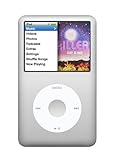
The new iPod classic comes with 160GB of storage in the same compact size, making it the take-everything-everywhere iPod. It's available in quintessential silver or striking black. iPod classic also has plenty of battery life (up to 36 hours of audio playback or 6 hours of video playback), good looks (a sleek, anodized aluminum design), and other great features (Cover Flow and Genius playlists for creating perfect playlists). You can even rent a movie from iTunes and watch it on the go..../ Apple iPod classic 160 GB Silver (7th Generation) NEWEST MODEL / an used car


.../ Apple iPod classic 160 GB Silver (7th Generation) NEWEST MODEL / an used car


Apple iPod classic 160 GB Silver (7th Generation) NEWEST MODEL
an used car
Customers Who Bought This Item Also Bought......


The new iPod classic comes with 160GB of storage in the same compact size, making it the take-everything-everywhere iPod. It's available in quintessential silver or striking black. iPod classic also has plenty of battery life (up to 36 hours of audio playback or 6 hours of video playback), good looks (a sleek, anodized aluminum design), and other great features (Cover Flow and Genius playlists for creating perfect playlists). You can even rent a movie from iTunes and watch it on the go.

iPod classic is the take-everything-everywhere iPod. Click to enlarge.

Your Top 40,000

Meet a Musical Genius
Say you're listening to a song you really like and want to hear other tracks that go great with it. With a few clicks, the Genius feature finds the songs in your library that go great together and makes a Genius playlist for you. You can listen to the playlist right away, save it for later, or even refresh it and give it another go. Count on Genius to create a mix you wouldn't have thought of yourself.

Hold Everything
iPod classic gives you 160GB of storage capacity, good for up to 40,000 songs, 200 hours of video, 25,000 photos, or any combination. And you get up to 36 hours of battery life, so you can keep on rocking for a long, long time.

With 160GB of space, iPod classic means you can always have your entire music and movie library with you. Carry it from the living room to a party in the backyard. Or take it on a cross-country road trip and never listen to the same song twice.

Click to Enjoy
Finding exactly what you want to watch or listen to is easy. Use the Click Wheel to browse by album art with Cover Flow or navigate your songs and videos by playlist, artist, album, genre, and more. You can also search for specific titles and artists. Want to mix things up? Click Shuffle Songs for a different experience every time.

Watch Movies and TV Shows
The vivid 2.5-inch display makes video come alive. Purchase or rent movies, buy TV shows, and download video podcasts from the iTunes Store, then sync them to your iPod classic to watch anywhere, anytime.

Available in quintessential silver or striking black. Click to enlarge.

Play iPod Games
Put hours of fun at your fingertips. iPod classic comes with three games--Vortex, iQuiz, and Klondike--and you can purchase games such as Cake Mania from the iTunes Store. All iPod games are designed specifically for the iPod interface.

Share Your Photos
iPod classic uses iTunes to sync the photos you have in iPhoto on a Mac. You can view photo slideshows complete with music and transitions on iPod classic, or play them on a TV using an optional Apple component or composite AV cable.

Reduced Environmental Impact
iPod classic embodies Apple's continuing environmental progress. It is designed with the following features to reduce environmental impact:

What's in the Box
Apple iPod classic 160 GB Silver (7th Generation), Earphones, USB 2.0 cable, Dock adapter, Quick Start guide

.../ Apple iPod classic 160 GB Silver (7th Generation) NEWEST MODEL / an used car


Apple iPod classic 160 GB Silver (7th Generation) NEWEST MODEL
an used car for CHEAPEST HOT PRODUCT ONLINE : BLACK FRIDAY DEALS 2011 !!!


Apple iPod classic 160 GB Silver (7th Generation) NEWEST MODEL
an used car

Special for Best deals black friday 2011


Customer Review :

My beloved iPod to date. (A.K.A. The iPod Apple should've released in 2007.) : Apple iPod classic 160 GB Silver (7th Generation) NEWEST MODEL


I am quite new to the conveyable mp3 world, although I have about 250 gb of music on my computer. The only mp3 player I own is a 1 gb Samsung Pebble, which I use at the gym. This was the only mp3 player I conception I needed since both of the stereos in my vehicles have mp3 disc players. But then I started thinking...since my new Camry has an auxilary jack to hook up an mp3 device, wouldn't it be great to have one and get rid of those giant cd wallets?! The first task was to get permission from my wife to spend 250 bucks. After a itsybitsy hesitation, she agreed. And then it was on to the research. Since I have such a large range of music, the capacity of the device was amount one on my list (as well as confident reviews & quality). I was pleasantly surprised to see that Apple had reissued the excellent in 160 gb form instead of the 120 gb. So after much personal moot in the middle of the Zune and the new 160 gb iPod Classic, the iPod won out.

Although the iPod is a astonishing itsybitsy device with a large capacity, the software is not without its troubles. I downloaded the most current version of iTunes (verison 9) and immediately began importing my mp3 files from my hard drive. This process can take some time, but not much longer than any other media player. I was so excited to ultimately have the majority of my music all on one device; and have the cover art as well (I just think that is awesome)! After loading a large chunk of my files into iTunes, I noticed that only a handful of the albums had the cover art. I attempted using the "get cover art" function, but it didn't work. My only selection was to track down the cover art online, right click, save, and then add the picture to the album file in iTunes. I know that it's not such a huge deal, but when you're dealing with A Lot of music, it can become quite a pain & time consuming. I later learned that the files have to be spelled exactly like they are in iTunes. And if they didn't come from iTunes in the first place, 9 times out of 10, the album art won't come up anyway. I would like to see a function that gets the cover art from other online sources, not just iTunes; and without a literal, spelling criteria. There's no guess that the way I name my "The" bands should restrict the retrieval of cover art. An example being "Animals, The" instead of "The Animals."

So other than the minor annoyance with the cover art, the player itself is fantastic. I found the interface very user-friendly and intuitive, without much of a studying curve. Again, I am new to the world of iPod, but I can assuredly say that I am very pleased. I wanted to write a narrate for habitancy that have a large digital music range that came mostly from ripping cd's to their computers. I am one of the habitancy who still enjoy listening to an whole album, and is not satisfied by just downloading the single, so I still buy bodily cd's & get vinyl. I would certainly advise the 160 gb iPod to any music fan with a large collection. Just remember to be sick person when getting the artwork for all of those older albums. If you don't have a range full of Taylor Swift, the Jonas Brothers, or Beyonce, iTunes just may not identify your music!

Apple iPod classic 160 GB Silver (7th Generation) NEWEST MODEL / an used car
Check for Best Rates Deals Lowest Prices & Special Discount!!!
Best on choosing the BEST Buy / Sale / New or Used & Recommended


VIEW GREAT PRODUCT & BEST PRICES..CAN CHECK UPDATE LOWEST PRICES & DISCOUNT!!! ABOUT Apple iPod classic 160 GB Silver (7th Generation) NEWEST MODEL
::an used car:: CHEAPER THAN ANYWHERE!!! ...


!!!!!~~CHECK HERE NOW~~!!!!!


AG1- Buy-18 Bicycles-Sport Shop

vrijdag 2 december 2011

Apple iPod nano 16 GB Blue (6th Generation) NEWEST MODEL

BEST DEALS TODAY!!!
Apple iPod nano 16 GB Blue (6th Generation) NEWEST MODEL
an used car for LOW PRICES & COMPARE FOR BEST BUY ORDER BLACK FRIDAY DEALS 2011 CHECK NOW!!!...


Apple iPod nano 16 GB Blue (6th Generation) NEWEST MODEL

BEST DISCOUNT Apple iPod nano 16 GB Blue (6th Generation) NEWEST MODEL
an used car for BLACK FRIDAY SALES...


Accessory for..
Apple iPod nano 16 GB Blue (6th Generation) NEWEST MODEL
an used car
cheapest black friday online discount...


Apple iPod nano 16 GB Blue (6th Generation) NEWEST MODEL OverviewsRedesigned for music and Multi-Touch, iPod nano is smaller and lighter than ever. You can clip it to your sleeve, jacket, or running shorts and keep your favorite songs at your fingertips--along with the Genius feature, a built-in FM radio, pedometer, and more. And the anodized aluminum finish in six bright colors makes this new design even more brilliant. This sixth-generation iPod nano is now upgradeable to Apple's new nano 1.2 software. Simply connect to iTunes and upgrade, and you'll be able to access the newer features. These include the ability to navigate with large icons displayed one at a time, a choice of 18 different clock face designs, and the ability to track your steps, distance, pace, and time while exercising, without the need for a separate shoe sensor or receiver..../ Apple iPod nano 16 GB Blue (6th Generation) NEWEST MODEL / an used car


Apple iPod nano 16 GB Blue (6th Generation) NEWEST MODEL Specifications

Redesigned for music and Multi-Touch, iPod nano is smaller and lighter than ever. You can clip it to your sleeve, jacket, or running shorts and keep your favorite songs at your fingertips--along with the Genius feature, a built-in FM radio, pedometer, and more. And the anodized aluminum finish in six bright colors makes this new design even more brilliant.

Upgradeable to nano 1.2 Software
This sixth-generation iPod nano is now upgradeable to Apple's new nano 1.2 software. Simply connect to iTunes and upgrade, and you'll be able to access the newer features. These include the ability to navigate with large icons displayed one at a time, a choice of 18 different clock face designs, and the ability to track your steps, distance, pace, and time while exercising, without the need for a separate shoe sensor or receiver.

Redesigned for music and Multi-Touch, iPod nano is smaller and lighter than ever. Click to enlarge.

Music. Feel the beat.

Your greatest hits. And taps. And swipes.
The best things in life have a soundtrack, and that's where iPod nano shines. The Multi-Touch display lets you experience your music in a new way. Tap to play anything you want to hear. Swipe the Home screen to browse your music by songs, albums, artists, playlists, genres, or composers. You can even rearrange the icons on your Home screen so your music is organized just how you like.

Clip on some tunes.
With the new built-in clip, you can walk, run, ride, or dance with your favorite songs on your sleeve (or pocket, jacket, or bag). The album art of the song you're listening to fits perfectly on the display.

Play all day. And all night.
The built-in rechargeable lithium-ion battery gives you up to 24 hours of nonstop music. So when you clip on an 8GB or 16GB iPod nano, you'll have plenty of tunes to make it through your commute, your workout, and beyond.

Shake it up.
Now for something completely random. Give iPod nano a shake and it shuffles to a different song in your music library. Shake to Shuffle is perfect for when you're not in any particular music mood. You never know what you're going to hear, and you'll always be pleasantly surprised.

Genius. The music mixmaster.

Built-in clip.

1.5-inch Multi-Touch color display with 240-by-240-pixel resolution.

8 and 16 GB models in new anodized aluminum colors: silver, graphite, blue, green, orange, pink.

Your own personal DJ.
Say you're listening to a song you love and you want to stay in the groove. Just tap Genius. It finds other songs on your iPod nano that go great together and makes a Genius playlist for you. For more song combinations you wouldn't have thought of yourself, create Genius Mixes in iTunes and sync the ones you like to your iPod nano. Then tap the Genius Mixes icon and rediscover songs you haven't heard in a while--or find music you forgot you even had.

FM radio. Touch that dial.

Radio nano.
Ride the airwaves on iPod nano. The FM tuner shows the artist, song, or program you're listening to. Just tap to see the radio controls, flick the radio dial to change stations, and tap to set your favorites.

Live Pause.
If you need to take a break from listening, don't miss a minute of radio time with Live Pause. Tap to pause a song or show, then tap again to continue where you left off. You can rewind as far back as 15 minutes or fast-forward to catch up to the live broadcast.

Fitness. Meet your new personal trainer.

Clip and go. And go. And go.
The new iPod nano design actually helps keep you fit. It's portable and wearable, which makes it runnable, walkable, and workout-able. Clip it on and control your music with just a tap or swipe of a finger, so you can stay focused without fumbling around. For your run, walk, or trip to the gym, a little iPod nano goes a long way.

Stay fit with every step.
iPod nano doubles as a pedometer, which makes it the ideal exercise partner. It keeps track of your steps and helps you meet your fitness goals. Just clip it on and walk on. You can create a daily step goal and check your progress when you upload all your data to the Nike+ website.

Rock your workout.
With the Nike + iPod Sport Kit (sold separately), iPod nano keeps you motivated from warm-up to cooldown on your run or in the gym. Lace up a pair of Nike+ running shoes and clip on your iPod nano. You'll watch the miles unfold and hear real-time voice feedback along with your favorite songs. In the gym, connect iPod nano to a Nike + iPod compatible cardio machine. It records your pace, time, and distance as you work out and rock out.

iTunes. For your iPod-playing pleasure.

Everything you need to be entertained.
iTunes is the best way to fill your iPod nano with the latest music, podcasts, audiobooks, and more. It's also the best way to browse and organize the ever-expanding digital media collection on your Mac or PC. Everything you buy on the iTunes Store--and any music from CDs you import--appears in your iTunes library. You can make your own playlists, create Genius playlists, choose Genius Mixes, and sync it all to your iPod nano. And you can download iTunes free.

The world's #1 music store.
Load your iPod nano with your favorite tunes. Or browse over 13 million songs and discover even more. You can search by artist name, song, or album title and handpick exactly the songs you want. Want some help finding new music? The Genius sidebar recommends new music based on the songs you already love. When you find something that sparks your interest, listen to the free 30-second preview. Click once to buy the song and it starts downloading instantly. It's the fastest, easiest way to build a digital music collection for your iPod nano.

Accessibility

Built-in accessibility.
iPod nano comes with accessibility features that help people with disabilities enjoy music, audiobooks, and more.

VoiceOver
iPod nano features VoiceOver, the world's first gesture-based screen reader. Touch the screen to hear a description of the item under your finger, then double-tap, drag, or flick to control iPod nano. Use the optional Apple Earphones with Remote and Mic to control your music without looking at the screen. VoiceOver tells you the name of the song or artist--and it speaks 29 languages.

White on Black
If you prefer higher contrast, iPod nano lets you change the display to white on black. Use the White on Black feature in any application, as well as on the Home screen.

Mono Audio
If your hearing is limited in one ear, turn on Mono Audio to route audio into both earbuds so you can hear both channels in either ear.

What's in the Box

16GB iPod nano (Blue), Apple Earphones, Dock Connector to USB Cable, Quick Start Guide and Important Product Information

.../ Apple iPod nano 16 GB Blue (6th Generation) NEWEST MODEL / an used car


Apple iPod nano 16 GB Blue (6th Generation) NEWEST MODEL Features
  • 16 GB capacity for about 4,000 songs
  • Up to 24 hours of audio playback on a single charge
  • 1.54-inch (diagonal) color TFT display with 240-by-240-pixel resolution (220 pixels per inch)
  • Support for AAC, Protected AAC (iTunes Store), MP3, MP3 VBR, Audible, Apple Lossless, AIFF, and WAV audio formats
  • One-year limited warranty
.../ Apple iPod nano 16 GB Blue (6th Generation) NEWEST MODEL / an used car


+++++++++++++++++++++++++++++++++++

Apple iPod nano 16 GB Blue (6th Generation) NEWEST MODEL
an used car for ALL BUY BEST BLACK FRIDAY 2011 BEST SELLER!!!


Model Of Item : MC695LL/A
Product Brand :
Apple

Product Rating :
Popular Rating :
Reviews Rating :
Customer Rating :

Available : In Stock
Apple iPod nano 16 GB Blue (6th Generation) NEWEST MODEL


See All Of Product Brand : Apple

Apple iPod nano 16 GB Blue (6th Generation) NEWEST MODEL
an used car
Guests who viewed this item also viewed......


Apple iPod nano 16 GB Blue (6th Generation) NEWEST MODEL
an used car

Special for Buy cheapest black friday sale


Customer Review :

Nano is part of Apple's new plan ... : Apple iPod nano 16 GB Blue (6th Generation) NEWEST MODEL


Bought this for the Nike + feature...liked the idea of a music player built into a principles to track my runs. The Nike + part of this unit worked great, easy to understand and easy to use....in fact I like it so much I am going back to my old mp3 player (creative product) and getting the nike sportsband so I can keep using the Nike + features. However I have sent back two dissimilar ipod nano units due to serious problems with the music component of this device.

1) This unit does not have a way to completely shut it off...only a sleep wake button. If you do not make legitimately sure that all music is stopped, the radio is off, this thing drains battery life very swiftly because you cannot fully shut the unit off.

2) The headphone jack is not very secure...using the ipod's headphones and other set of headphones from a dissimilar mp3 player the cord came out easily, when the cord was jostled sound would cut in and out development listening to the music annoying. Also becuase the radio antenna is the headphones it was permanently losing radio reception or unable to search stations.

3) Volume operate seems like it would be easy with buttons on the side..however on the units I tried the volume would lock itself to either no sound at all or set so loud I could only keep one port in one ear. I like to be able to adjust volume as I am running or working out based on the song, the environment, etc...not very happy with how difficult it was to deal with the volume.

4) When I could get radio reception and made sure not to jostle the cord (sitting down outside) the unti shut itself off after 60 seconds unless I kept hitting icons on the unit. It didn't do this when I was playing from my songlists...just in the radio mode.

5) When you want to shuffle a song while running...you have to wake the unit up then either frame out where on the screen to tap (without getting your sweaty fingers all over the unit and without tripping as you look at the screen) or shake until hopefully the device realizes you are trying to turn songs (I was not very impressed with the shake to shuffle feature).

6)This device does not come with a manual...you have to go to the apple page to get the hand-operated and download it. Customer aid was useless. Thank goodness for Amazon's remarkable return procedures!

Apple iPod nano 16 GB Blue (6th Generation) NEWEST MODEL / an used car
Check for Best Prices & Special Discount!!!
Compare Prices , Product Details , Reviews for Buy/Sale/New/Used


BEST DEALS SHOPPING , CHECK COMPARE PRICES , GET SPECIAL DISCOUNT UPDATE FOR BUY BEST ABOUT Apple iPod nano 16 GB Blue (6th Generation) NEWEST MODEL
::an used car::SUPER SAVING FOR BEST BUY SHOPPING...


!!!!!~~CHECK HERE NOW~~!!!!!


Buy-Baseball Cards Store-Sport Shop Best Buy Shopping 1 Gb Dimm Cheap Deals